Skip to content
  • Homepage
  • HTML
  • CSS
  • Symfony
  • PHP
  • How to
  • Contact
  • Donate

Teach Developer

Articles, Guides & Tips

How to check the PHP version

Home  »  How to • PHP • Tips   »   How to check the PHP version
Posted on July 25, 2022July 25, 2022 No Comments on How to check the PHP version
811

Newer PHP versions come with more features and improvements while deprecating some obsolete features. Old PHP codes might not work with more recent PHP versions and vice versa. It is, therefore, essential to use the correct PHP version for your code.
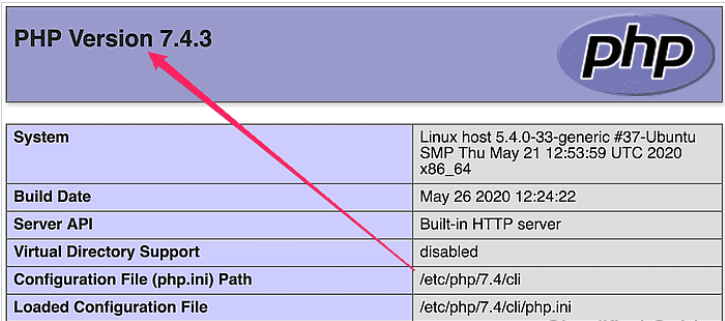
You can check the PHP version on your system by running the php command from the command line. There are also some PHP functions that you can use in your code to get the PHP version during runtime.

Steps to check the installed PHP version:

  1. Run php -v from the command line.
    $ php -v 
    PHP 7.4.3 (cli) (built: May 26 2020 12:24:22) ( NTS ) Copyright (c) The PHP Group Zend Engine v3.4.0, Copyright (c) Zend Technologies with Zend OPcache v7.4.3, Copyright (c), by Zend Technologies
  2. Run php -i from the command line.
$ php -i | grep "PHP Version"
PHP Version => 7.4.3

3. Print PHP_VERSION_ID from PHP script.

<?php 
	echo PHP_VERSION_ID;
	//Sample output: 70403
?>

4. Print phpversion() output from PHP script.

<?php 
	echo phpversion();
	//Sample output: 7.4.3
?>

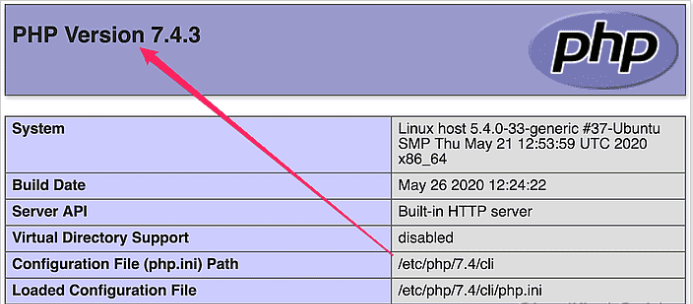
5. View from phpinfo() output.

<?php 
	phpinfo();
?>
How to, PHP, Tips Tags:PHP

Post navigation

Previous Post: How to use setTimeout and setInterval methods in JavaScript
Next Post: 4 Methods to Search an Array

Related Posts

  • How to make the div move up and down when scrolling the page with CSS?
  • ES6 classes
  • How to Symfony Request
  • How to change background Opacity when the bootstrap modal is open with CSS?
  • How to Get Environment Variables in Laravel ReactJS
  • How to make a div always float on the screen in the top right corner with CSS?

Leave a Reply Cancel reply

Your email address will not be published. Required fields are marked *

Categories

  • Codeigniter (3)
  • CSS (11)
  • eCommerce (1)
  • Framework (1)
  • Git (3)
  • How to (43)
  • HTML (5)
  • JavaScript (15)
  • Jquery (7)
  • Laravel (1)
  • Linux (4)
  • Magento-2 (1)
  • Node js (4)
  • Others (2)
  • PHP (11)
  • React (13)
  • Server (1)
  • SSH (3)
  • Symfony (6)
  • Tips (16)
  • Top Tutorials (10)
  • Ubuntu (3)
  • Vue (1)
  • Wordpress (7)

Latest Posts

  • What is SSH in Linux?
  • How to Delete Files in Ubuntu Command Line
  • How to Deploy a React application on a cPanel
  • How to use events listeners and Event Subscriber in Symfony
  • How to Convert PHP CSV to JSON

WEEKLY TAGS

AJAX (1) Codeigniter (1) Javascript (11) JQuery (1) PHP (16) Programming (1) React (3) Symfony (1)

Random Post

Enable or Disable SSH Root Login Access in Linux
Git basics: The simple commands to begin with
How to make the div move up and down when scrolling the page with CSS?
HTML Basic Examples
How to use events listeners and Event Subscriber in Symfony

Quick Navigation

  • About
  • Contact
  • Privacy Policy

© Teach Developer 2021. All rights reserved